Auto-Tagging
When a contact's message matches your keywords, they are tagged automatically. This lets you filter and follow up by intent, such as interested, asking for the price, or wanting to buy.
1. Each row is a tag with its keywords. Tick it to enable it. The built-in tags already cover common sales intents and support several languages.
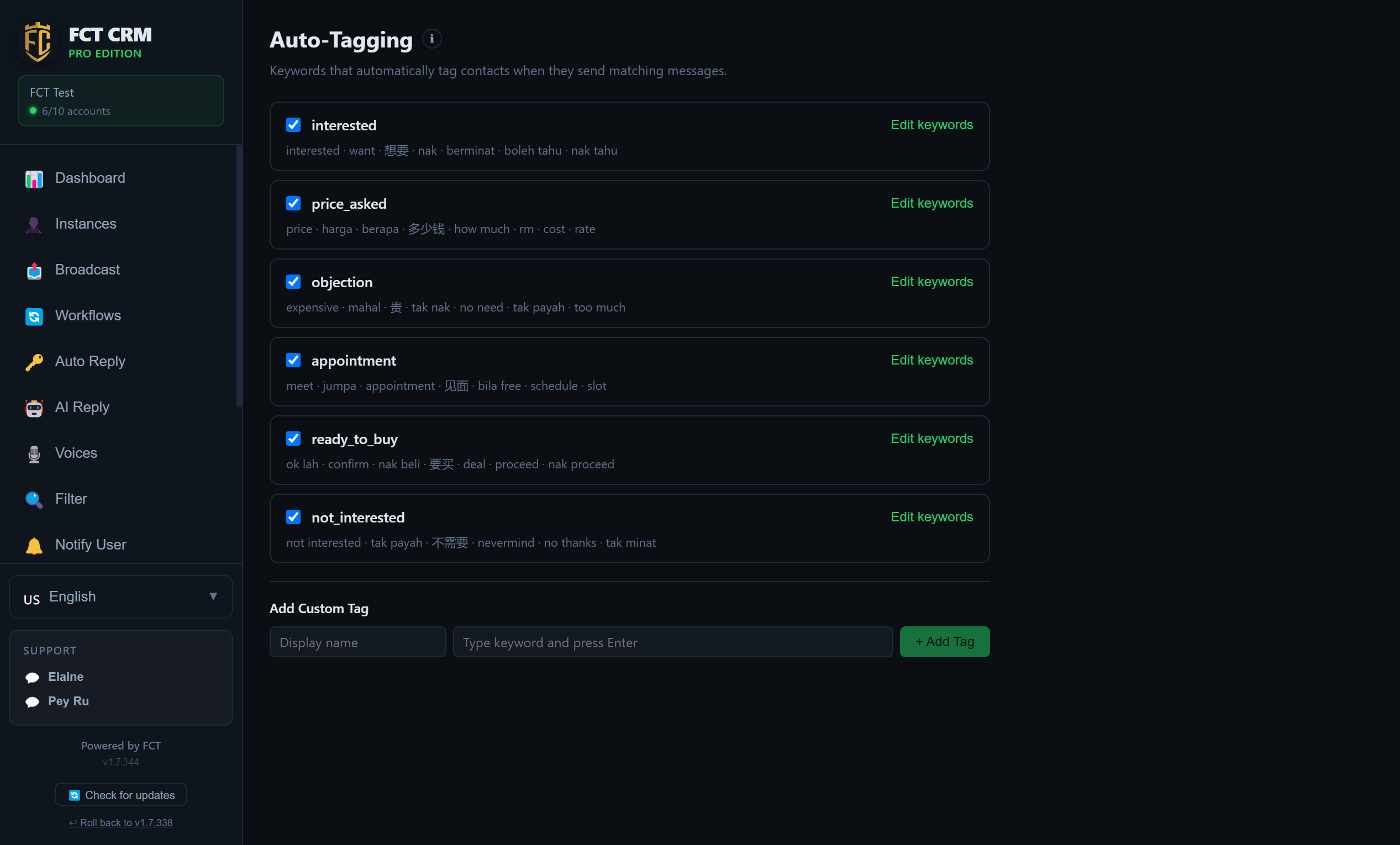
- Click Auto-Tagging in the left menu. The bold text on each row is the tag's name, and the small grey line under it lists the keywords that trigger the tag.
- Each row starts with a checkbox. Ticking it enables the tag, and unticking it disables the tag. A single click takes effect immediately.
- The colour swatch next to the checkbox is the tag's colour. Click it to choose a different one.
- The button on the right that shows a number of contacts opens the list of contacts currently carrying this tag. The CSV button next to it exports this tag's contacts as a spreadsheet. Export all tags to CSV at the top of the page exports every tag in one go.
- To give a tag a new name, click Rename on its row, type the new name, then click Save.
What is "AI intent → auto-tag"?
This option at the very bottom of the page is off by default. Once it is ticked, the matching tag is also applied when the AI recognises a customer's intent. This catches the rewordings and typos that keywords miss.
2. Click Edit keywords to add or remove the words that trigger a tag. Type a word and press Enter, and click the cross next to a word to delete it. Add Custom Tag at the bottom lets you create your own.
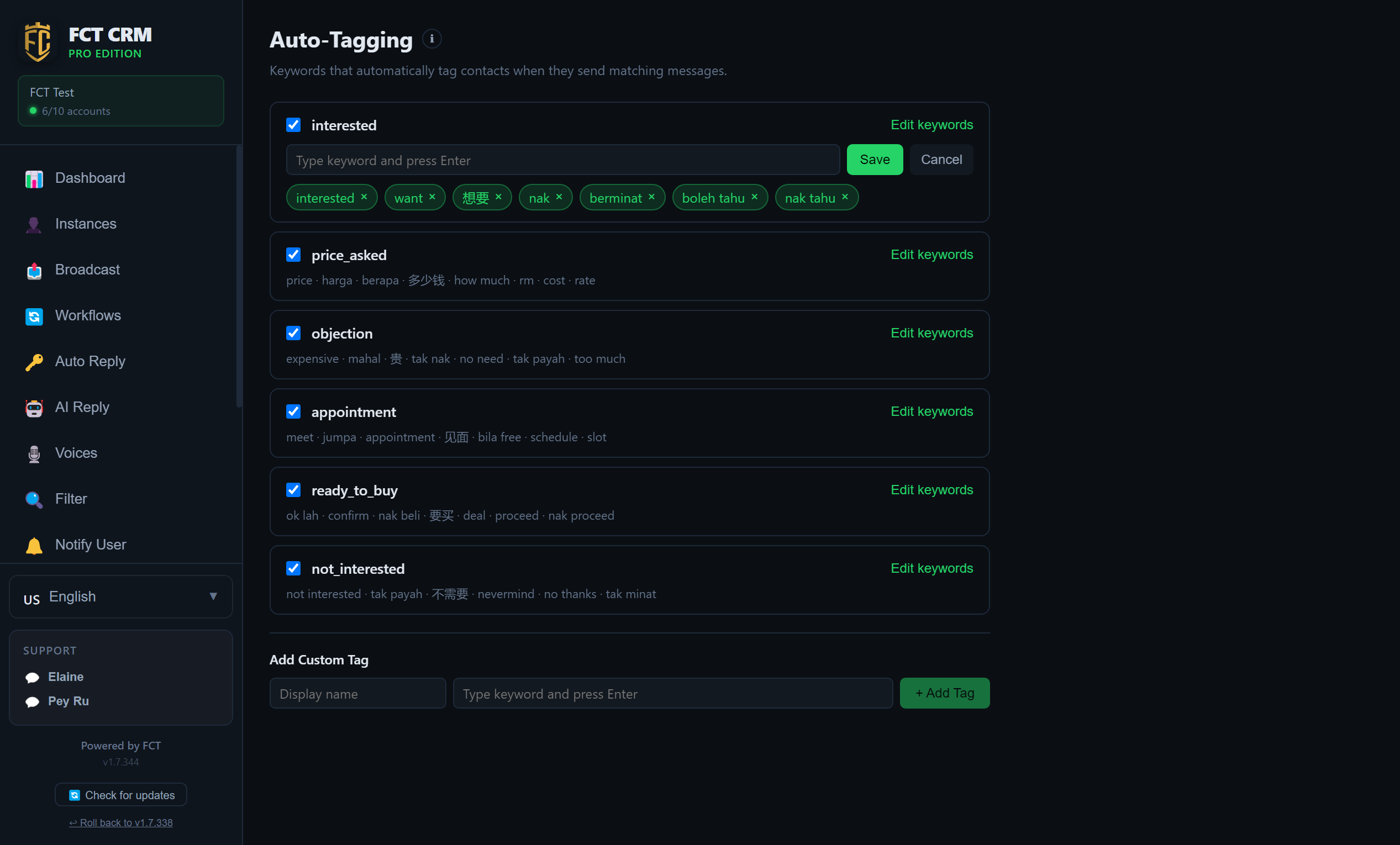
- On the row of the tag you want to change, click Edit keywords on the right. The row expands to show an input box, with the existing keywords laid out below it.
- Type a word into the input box and press Enter. It becomes a small chip in the row below. You can add several in a row.
- To delete a word, click the ✕ next to it.
- When you are done, click Save. If you change your mind, click Cancel.
- To create your own tag, scroll to Add Custom Tag at the bottom of the page: fill in the tag's name in the Display name field, type keywords into the field on the right and press Enter after each one, and finally click Add Tag. The new tag appears in the list and is already enabled.
Press Enter after typing a word
A keyword only counts as added once you press Enter and it turns into a small chip. If you type a word and click Save without pressing Enter, that word is not saved.