Engines
Set up all your engines in one place: AI, translation, speech-to-text and text-to-speech (TTS). The tabs at the top switch between the two groups.
1. AI Engine + Translation: choose your AI or LLM provider (used for AI replies, FAQ and workflow generation) and your translation provider, and enter each provider's API key here. The Test button on each card checks whether that key and model work. Further down the same page is Voice Recognition (STT).
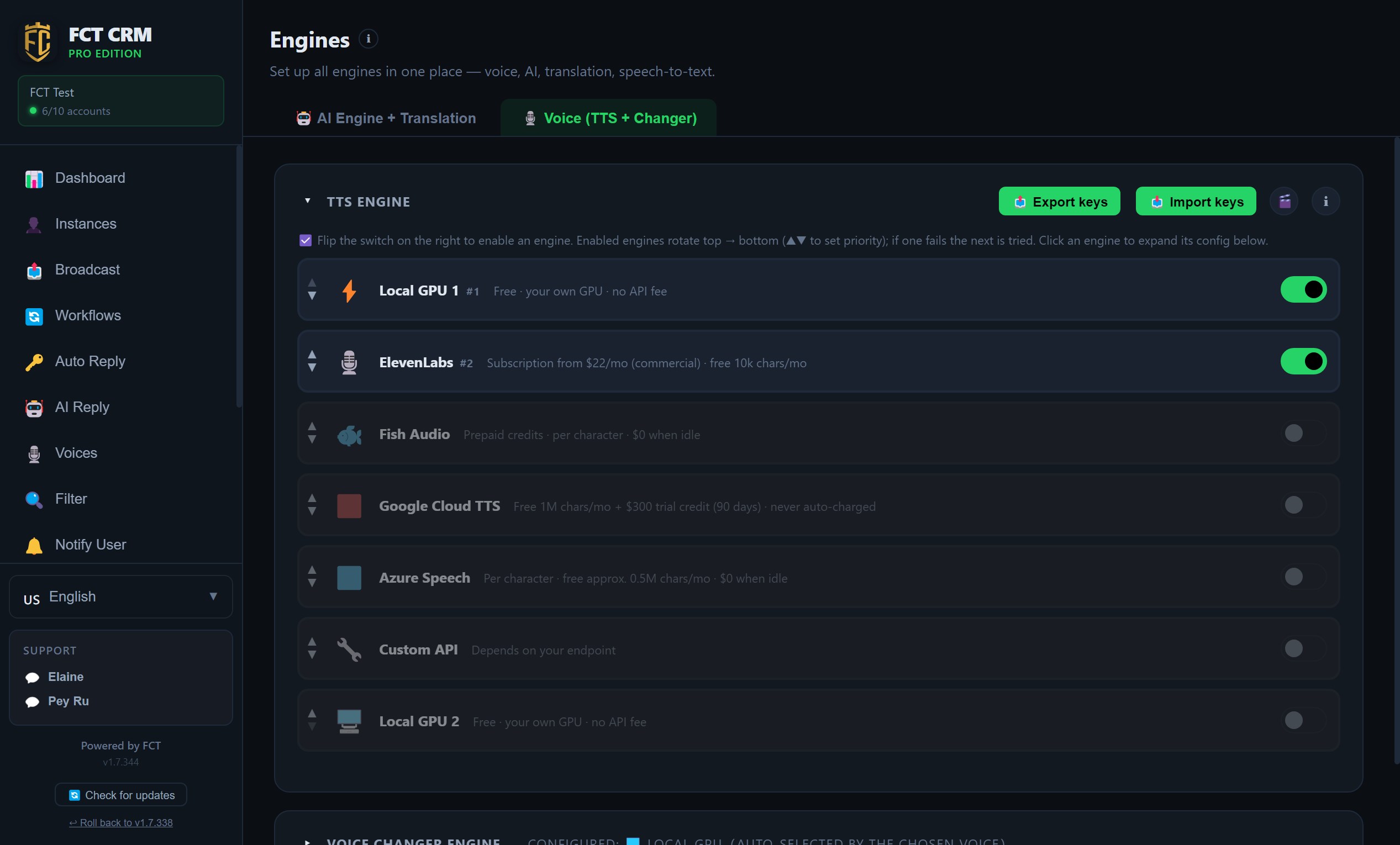
- Click Engines in the left menu, then click AI Engine + Translation at the top.
- Click Add Provider below. Choose one under Provider, click Get API Key to apply for a key on the provider's website, paste the key you receive into API Key, then click Add. The new card expands automatically.
- Choose a model in the card's Model dropdown. When the key is correct, the number of available models is shown next to it.
- Click Test on the right of the card. A green Connected means it is ready to use. If red text appears, follow the hint and check the key or the model.
- The switch at the top right of the card enables and disables it, and the up and down arrows next to it change the order of the cards.
- Keep scrolling down. Under Translation Provider, choose a provider for translation for Personal chats and for Group chats separately. Further down is Voice Recognition (STT).
When you change computers
Click Export All Keys to save them as a file. On the new computer, click Import Keys, and you do not have to fill in the cards again one by one.
2. Voice (TTS + Changer): enable one or more voice engines with the switch on the right. Enabled engines rotate from top to bottom, and the up and down triangles set the priority. If one fails, the next one is tried. Click an engine to expand its settings. Each row shows its cost, for example Local GPU is free and ElevenLabs is a subscription.
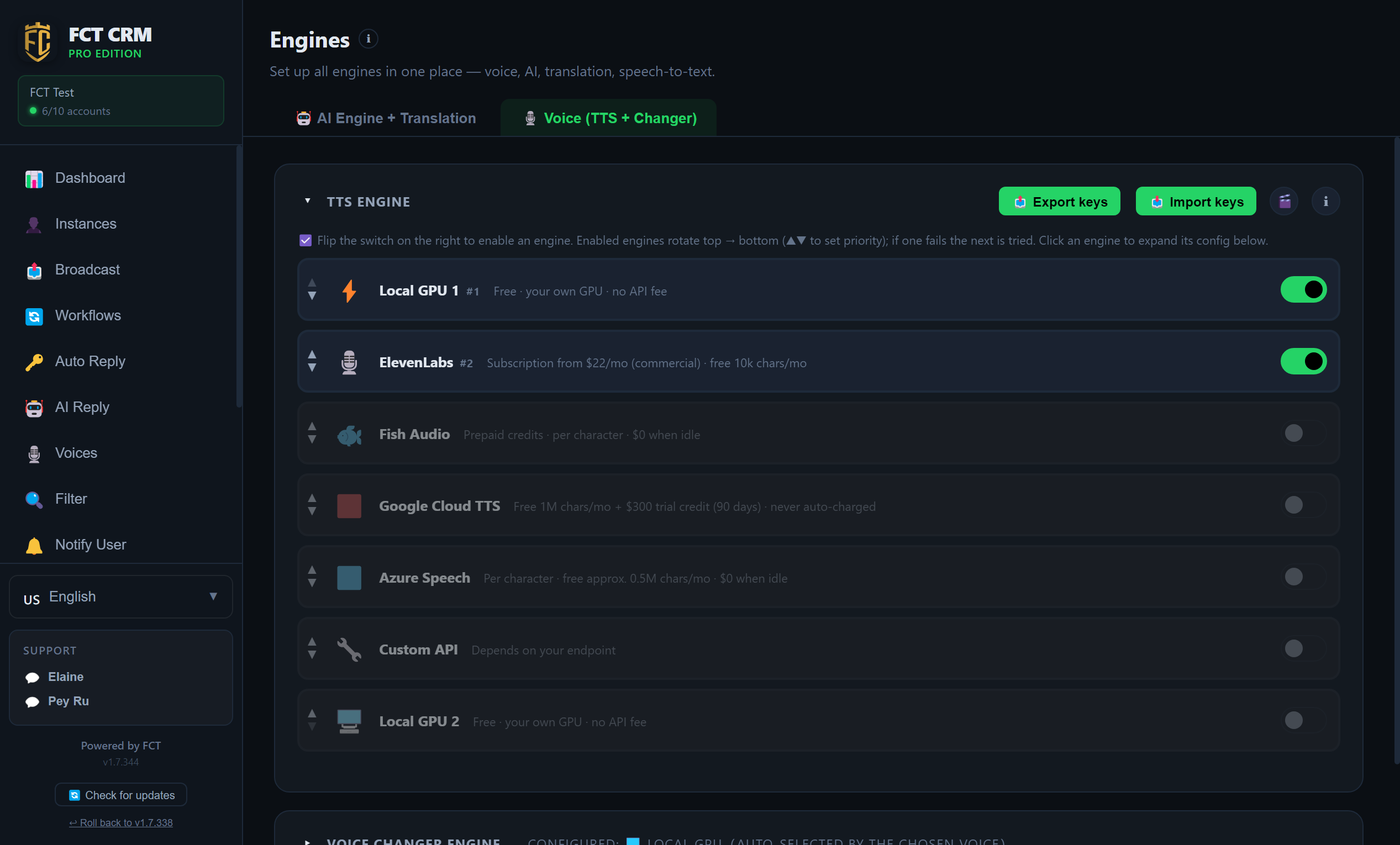
- Click the Voice (TTS + Changer) tab at the top.
- In the TTS Engine list, find the engine you want to use and turn on the switch on its right. Once enabled, its order number appears next to its name.
- Click the engine's row to expand its settings. A cloud engine needs an API key entered here. If you do not know where to get one, click Get API Key next to it.
- After filling it in, click Save first. When you see Saved, click Check Status to confirm that the engine works.
- When more than one engine is enabled, use the up and down triangles on the left of each row to change the order. The one higher up is used first, and if it fails the next one takes over automatically.
- Further down is Voice Changer Engine. Expand its settings there when you want to use the feature that changes the voice of a recording.
Save first, then check
Check Status reads the settings that have already been saved, not what you have just typed into the input box. After changing a key, always click Save before checking.
The AI suddenly stopped replying?
Come to this page first and click Test on the relevant card. If the provider has retired the model on the card, the app automatically switches to a model that is still offered, and the card states "The provider retired …; the app switched this card to … on its own". There is nothing you need to do. If you prefer a different one, just pick it again on the card.
Voice Recognition (STT)
This turns the voice notes you receive into text. It is set under Voice Recognition (STT) in the 🤖 AI Engine + Translation tab, and personal chats and group chats can be set separately:
- Auto: when a cloud key (Groq or OpenAI) is set, the cloud is used first because it is more accurate. Local is only used when there is none.
- Cloud first: more accurate. You need to enable an OpenAI or Groq card first.
- Local Whisper only: free and offline, with average accuracy. Groups get a lot of voice notes, so this is a good choice there to save cost.
If you see a yellow notice
If no Groq or OpenAI card is switched on, voice notes can only be recognised by the small model on this computer. English spoken with a Malay accent is often heard as Malay, and the whole conversation is then answered in the wrong language. Switching on one Groq card fixes it, and its speech recognition is free.